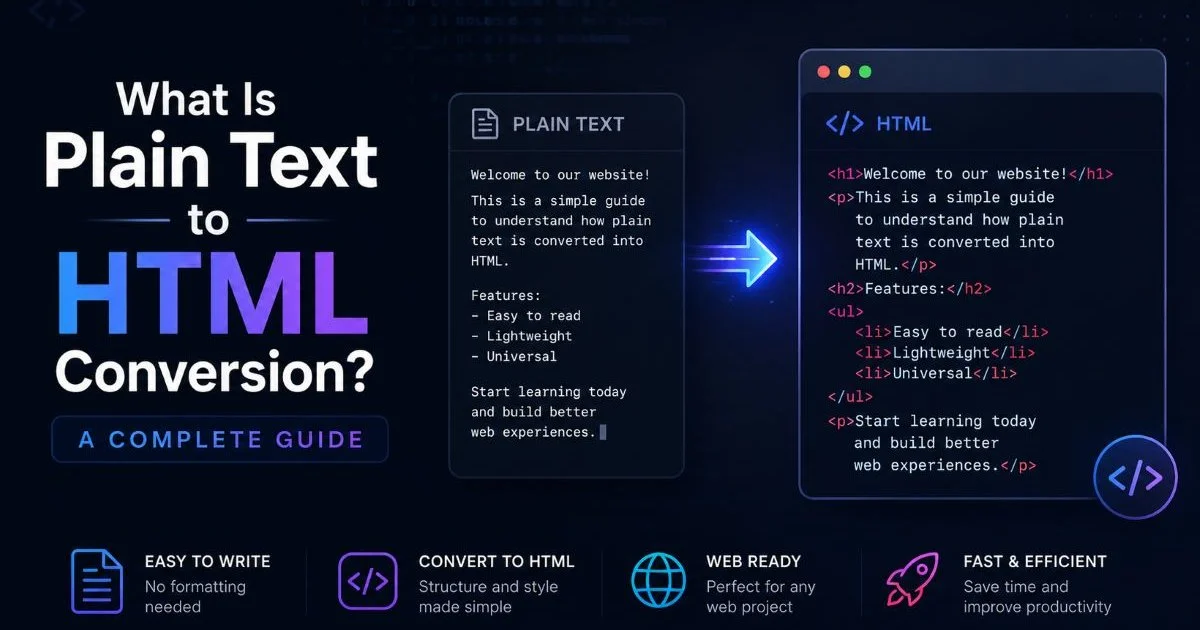
Converting plain text to HTML is the process of transforming unformatted text content into structured, semantic HTML markup that browsers can render with proper headings, paragraphs, lists, links, and metadata. Whether you are a web developer building pages from scratch or a content creator publishing blog posts, you have likely faced the tedious task of wrapping raw text in HTML tags. The process sounds simple, but doing it well requires attention to document structure, accessibility, and reusable patterns. A reliable workflow for turning plain text to HTML can save hours of manual coding each week. Poor formatting leads to accessibility issues, broken layouts, and search engines that struggle to understand your content. Getting this right from the start matters more than most people realize. This article breaks down exactly what the conversion process involves, why it matters, and how modern tools handle it.
Key Takeaways
- Plain text to HTML conversion adds semantic structure that browsers and search engines need.
- Manual conversion works for small pages but becomes impractical at scale.
- Automated HTML generators preserve formatting while adding proper tag hierarchy.
- Reusable page structures reduce errors and speed up content publishing workflows.
- Choosing the right tool depends on your content volume and technical requirements.
How Plain Text to HTML Conversion Works
Parsing and Pattern Recognition
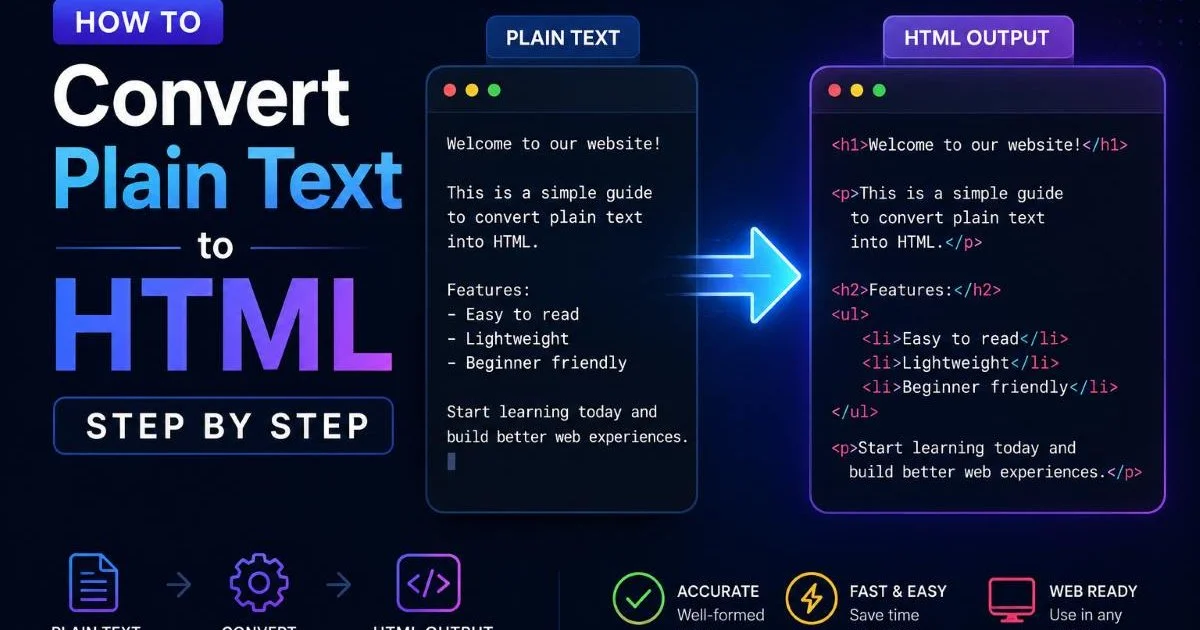
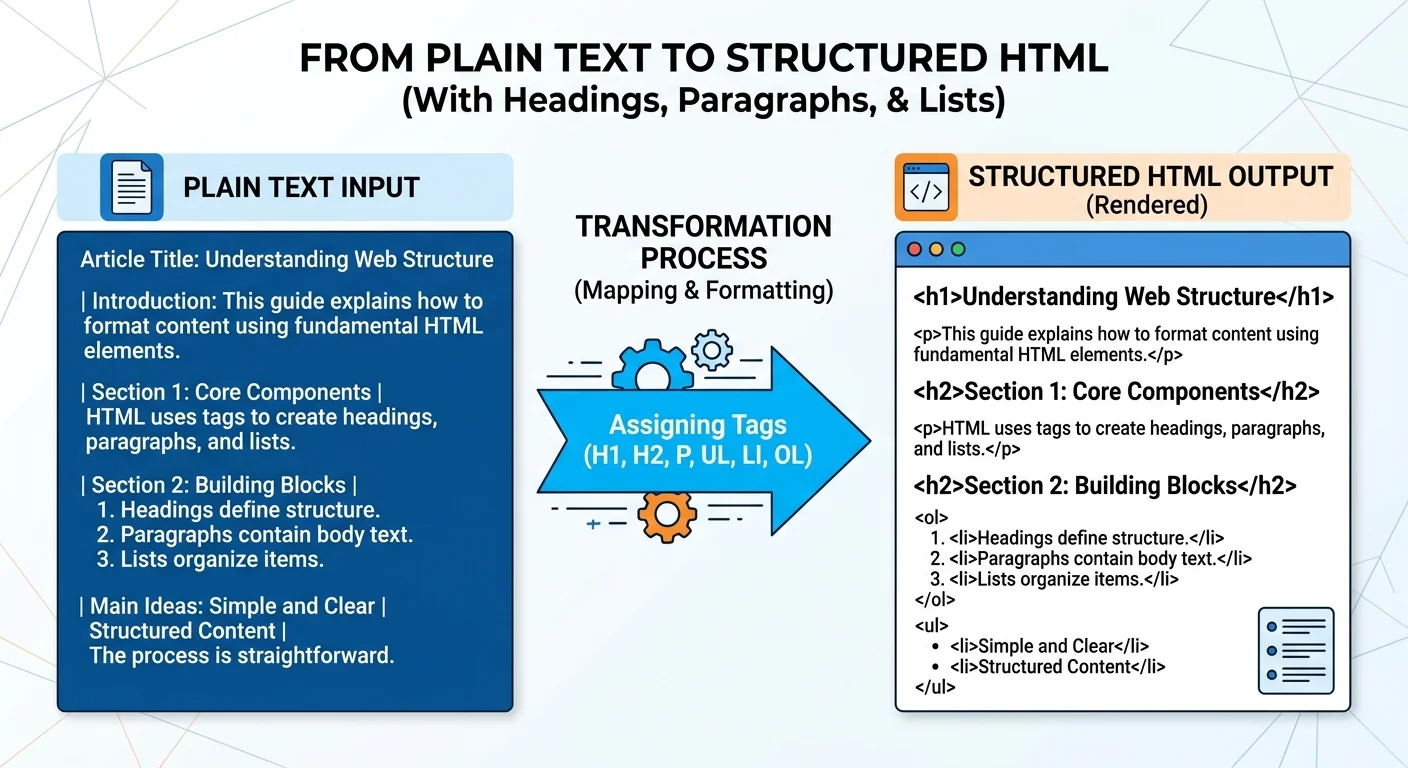
The conversion process begins with parsing the raw text to identify structural patterns. A text to HTML converter scans for line breaks, blank lines, indentation, bullet characters, and numbering sequences. These visual cues in plain text correspond to specific HTML elements. For instance, a blank line typically signals a paragraph break, while lines starting with dashes or asterisks suggest an unordered list. The parser builds an internal representation of the document's hierarchy before generating any markup.
More advanced parsers also detect heading-like patterns such as short lines followed by longer paragraphs, or lines written in all caps. Some tools use natural language processing to identify whether a block of text functions as a title, a subheading, or body content. The accuracy of this detection step directly determines the quality of the final HTML output. Without good parsing, you end up with a wall of <p> tags and no meaningful structure.
When preparing text for conversion, use consistent formatting patterns like blank lines between paragraphs and clear heading indicators to improve parser accuracy.
Tag Assignment and Nesting
After parsing, the converter assigns appropriate HTML tags to each content block. Headings receive <h2> through <h6> tags based on their hierarchy. Body text gets wrapped in <p> elements. Lists are enclosed in <ul> or <ol> containers with individual <li> items. Links detected in the text are wrapped in anchor tags. This tag assignment phase is where the flat, linear text gains its three-dimensional HTML structure with proper nesting and semantic meaning.
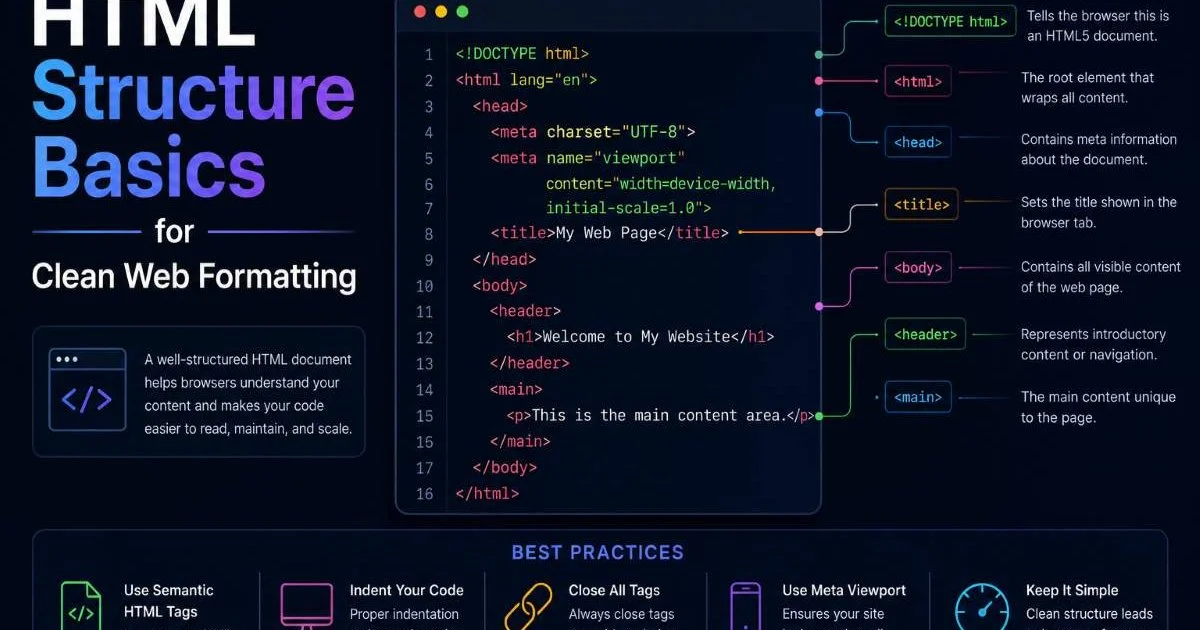
The nesting step also handles edge cases like nested lists, blockquotes within sections, and tables embedded in running text. A well-built converter preserves the logical reading order while wrapping content in a valid document outline. The result is clean, standards-compliant markup ready for browser rendering. You can learn more about how HTML code generation works at a technical level if you want to understand the underlying mechanics.
Why HTML Formatting Matters
Accessibility and SEO Benefits
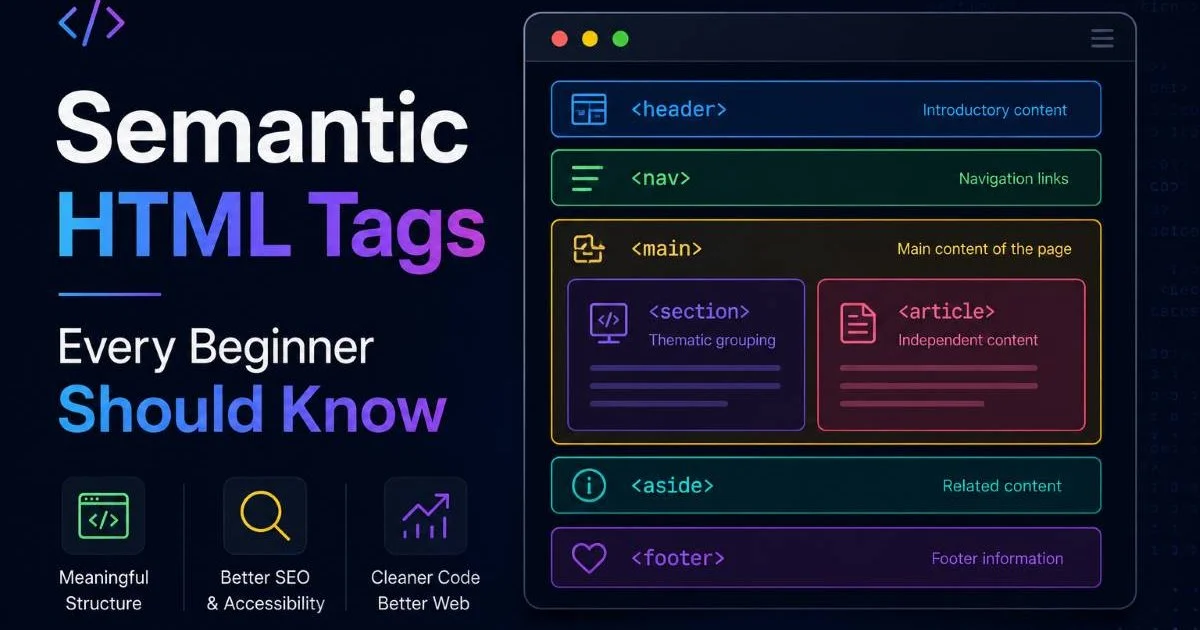
Proper HTML formatting is not just cosmetic. Screen readers rely on semantic tags to navigate documents for visually impaired users. When you convert text to HTML with correct heading hierarchy, list markup, and landmark elements, you make your content accessible to assistive technologies. Search engines similarly depend on HTML structure to understand content relationships, determine topic relevance, and generate rich snippets in search results. Without proper tags, your content is invisible to these systems.
Google's crawlers specifically look for structured heading hierarchies, descriptive link text, and properly nested lists when indexing pages. A page with well-formed HTML structure ranks better because the search engine can confidently interpret what the content covers. Studies from Semrush have shown that pages with clear heading structures receive higher organic traffic on average. This alone makes investing in proper plain text to HTML conversion worthwhile for any content-driven website.
Consistency Across Pages
Reusable page structures emerge naturally when you standardize your conversion process. If every article follows the same HTML template with consistent heading levels, metadata placement, and section ordering, your entire site benefits from visual and structural coherence. Content management becomes simpler. Designers can style components predictably. Developers can build features that target specific structural patterns without writing one-off code for every page.
Teams that publish content frequently often create templates that define the expected HTML structure for different content types. A blog post template might include slots for a title, introduction, table of contents, body sections, and a closing summary. When you feed plain text into such a template through an automated pipeline, you get consistent output every time. This approach eliminates the inconsistency that plagues hand-coded pages and reduces the QA burden significantly.
"Structured HTML is not a luxury for perfectionists; it is the foundation that makes everything else on the web work correctly."
Tools and Approaches for Conversion
Manual vs. Automated Methods
Manual HTML formatting means opening a text editor and typing every tag by hand. For a single page, this works fine and gives you complete control over the output. But once you are processing dozens of articles per week, manual conversion becomes a bottleneck. Typos creep in. Closing tags get forgotten. Heading levels become inconsistent across different authors. The cognitive overhead of remembering proper nesting rules for every element slows down even experienced developers.
Automated methods range from simple regex-based scripts to sophisticated AI-powered tools. A basic script might convert double line breaks to paragraph tags and detect Markdown-style headings. More powerful solutions use machine learning to infer document structure from context. The right choice depends on your volume, your formatting complexity, and how much post-processing you are willing to do. For most content teams, a hybrid approach works best: automate the bulk conversion, then manually polish edge cases.
Choosing the Right HTML Generator
The market for HTML generator tools has expanded rapidly with the rise of AI-assisted development. Some tools focus on converting Markdown to HTML, while others accept completely unformatted plain text and produce structured output. When evaluating options, look for features like heading detection accuracy, list handling, link preservation, and metadata generation. A comprehensive roundup of AI HTML generator tools can help you compare the current landscape and find the right fit for your workflow.
Consider whether you need a standalone tool, a browser extension, an API, or a CMS plugin. Developers building content pipelines often prefer API-based solutions they can integrate into their build processes. Content creators who work in WordPress or similar platforms typically want a plugin that handles conversion within their familiar editor. The tool at TXT to HTML provides a straightforward approach for teams that want clean output without complex configuration.
No single tool handles every edge case perfectly. Always review the generated HTML before publishing, especially for complex layouts with tables or nested lists.
| Plain Text Pattern | HTML Element | Purpose |
|---|---|---|
| Short line followed by paragraph | <h2> or <h3> | Section heading |
| Text separated by blank lines | <p> | Paragraph block |
| Lines starting with - or * | <ul><li> | Unordered list |
| Lines starting with numbers | <ol><li> | Ordered list |
| URLs in running text | <a href> | Hyperlink |
| Indented or quoted blocks | <blockquote> | Quoted content |
Common Misconceptions and Pitfalls
Myths About Plain Text Conversion
One persistent myth is that converting plain text to HTML simply means wrapping everything in paragraph tags. This misses the entire point of semantic markup. A document that consists of nothing but <p> elements offers no structural information to browsers, screen readers, or search engines. True conversion requires identifying content types and assigning appropriate tags, not just eliminating bare text nodes. Another misconception is that formatting is purely visual. In reality, HTML structure carries meaning independent of CSS styling.
Some developers believe that Markdown has made direct text-to-HTML conversion obsolete. While Markdown is excellent for writers who learn its syntax, many content sources (emails, PDFs, legacy documents, CMS exports) deliver completely unformatted text. These sources need a different conversion approach. Additionally, not every team member wants to learn Markdown syntax. A good text to HTML converter accepts content as-is and handles the structural interpretation automatically, making it accessible to non-technical contributors.
Never assume that whitespace in plain text will be preserved in HTML. Browsers collapse multiple spaces and line breaks unless you explicitly use appropriate tags or CSS white-space properties.
Avoiding Formatting Loss
Formatting loss during conversion is a real problem, especially when moving content between systems. Copy-pasting from word processors or rich text editors often strips structural data and leaves you with flat text. The resulting HTML lacks the headings, emphasis, and list structures that existed in the original document. Froala has published a useful guide on converting plain text to HTML without losing formatting that covers practical strategies for preserving intent during the conversion process.
The best defense against formatting loss is to establish a clear conversion pipeline with defined input formats and validation steps. If your content originates in Google Docs, export it as plain text with consistent conventions before running it through your converter. If it comes from an API, document the expected text patterns so your parser handles them correctly. Testing your output against the original source should be a standard part of your publishing workflow, not an afterthought.
}]Frequently Asked Questions
?How should I format plain text to improve parser accuracy?
?Is manual HTML conversion worth it compared to automated tools?
?How much time can automating plain text to HTML conversion actually save?
?What goes wrong if the parser misses heading patterns in plain text?
Final Thoughts
Converting plain text to HTML is a foundational skill that sits at the intersection of web development and content publishing. The process goes far beyond wrapping text in tags; it requires understanding document semantics, maintaining consistent structure, and choosing tools that match your workflow. Whether you handle conversion manually or rely on an automated HTML generator, the goal remains the same: produce clean, accessible, reusable markup. Invest in a solid conversion process now, and every piece of content you publish will benefit from that decision for years to come.
Disclaimer: Portions of this content may have been generated using AI tools to enhance clarity and brevity. While reviewed by a human, independent verification is encouraged.