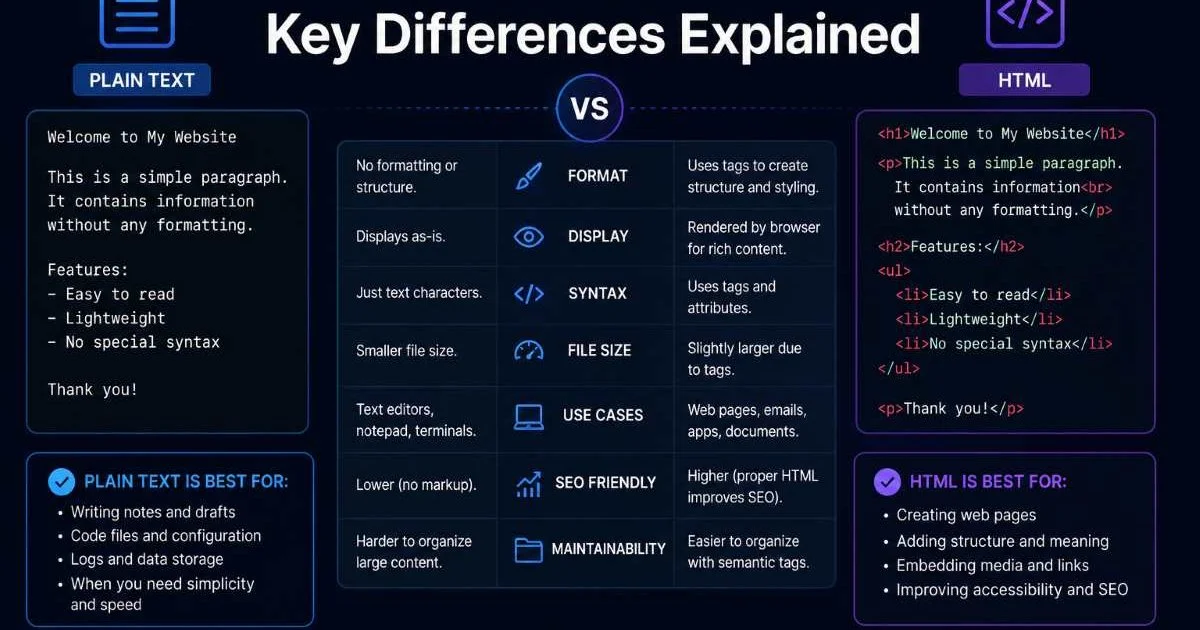
Plain Text vs HTML is a comparison every web developer and content creator eventually confronts. Whether you're writing an email, drafting documentation, or building a website, the format you choose affects readability, accessibility, and search engine visibility. Plain text is raw, unformatted content with no structural markers.
HTML, on the other hand, wraps that same content in tags that browsers interpret to render headings, links, images, and layout. Understanding the differences helps you pick the right format for every project.
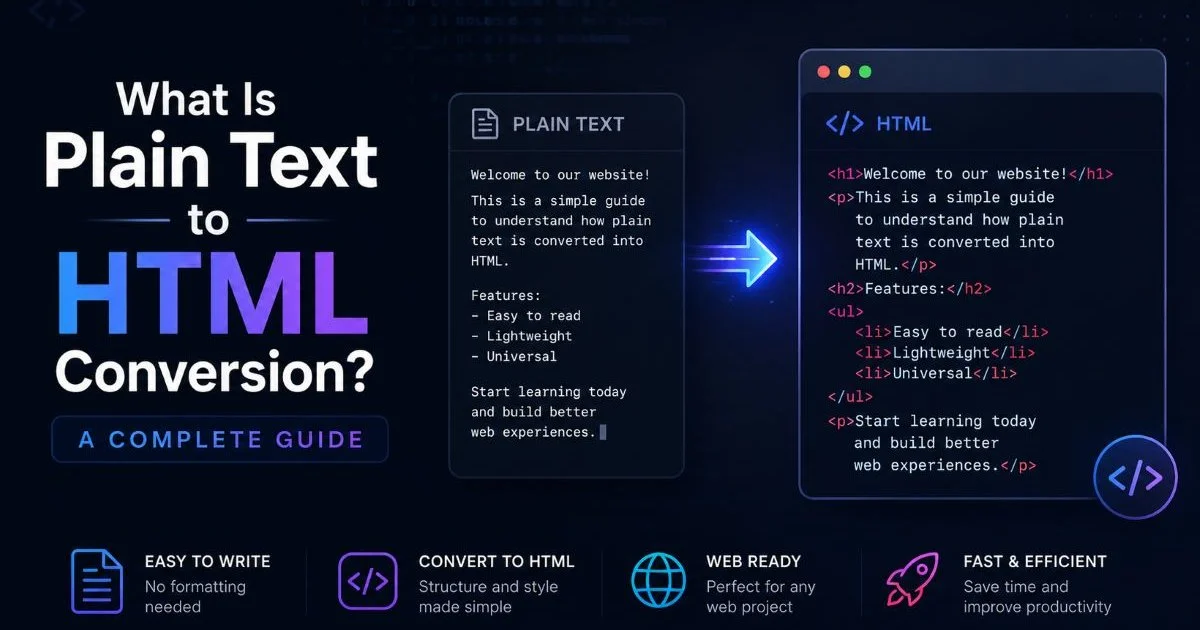
If you're new to the process of converting between formats, our complete guide to plain text to HTML conversion covers the fundamentals. The stakes are real: choosing the wrong format can cost you time, hurt your SEO, or create accessibility barriers for users.
Key Takeaways
- Plain text contains zero formatting, while HTML uses tags to create structured web content.
- HTML formatting gives browsers instructions that plain text simply cannot provide.
- Semantic HTML improves accessibility and helps search engines understand your pages.
- Plain text is better for logs, configs, and contexts where portability matters most.
- Converting text to markup is straightforward once you understand basic HTML structure.
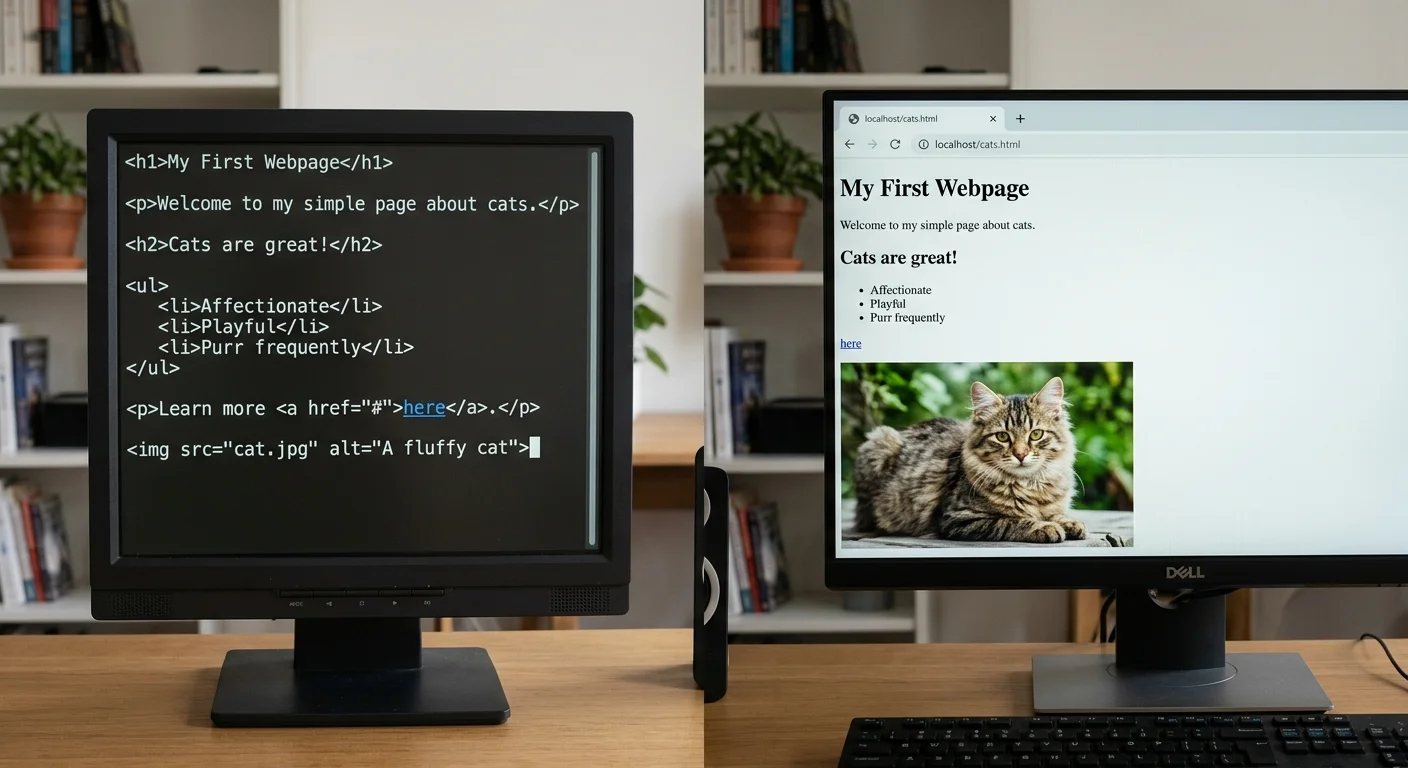
Format and Syntax
How Plain Text Works
Plain text is the simplest digital format. It consists of characters encoded in standards like ASCII or UTF-8 with no hidden instructions. A .txt file looks the same whether you open it in Notepad, Vim, or any terminal. There are no bold indicators, no heading levels, no hyperlinks embedded in the content. What you type is exactly what you get.
This simplicity is both the greatest strength and the greatest limitation. Plain text files are universally portable, extremely lightweight, and immune to rendering quirks. But they offer no way to indicate hierarchy, emphasis, or relationships between content blocks. A reader has to rely on conventions like blank lines and capital letters to infer structure, which is unreliable at scale.
Developers commonly use plain text for README files, configuration settings, log outputs, and quick notes. In these contexts, human readability matters more than visual polish. The format is also ideal for version control since there are no binary artifacts or hidden metadata to create merge conflicts. Git diffs on plain text are clean and predictable.
Store configuration files and changelogs in plain text to keep version control diffs clean and readable.
How HTML Works
HTML (HyperText Markup Language) uses a system of opening and closing tags to define the structure and meaning of content. An <h1> tag tells the browser this is a top-level heading. A <p> tag wraps a paragraph. An <a> tag creates a clickable hyperlink. The raw file is still text, but it contains embedded instructions that software interprets before displaying the content. For a deeper look at organizing tags correctly, the article on HTML structure basics for clean web formatting is worth reading.
HTML formatting goes beyond visual appearance. Tags carry meaning. A <nav> element tells assistive technologies that the enclosed content is navigation. A <blockquote> signals quoted material. This distinction between presentation and semantics is what separates HTML from simple rich text. Browsers, screen readers, and search engine crawlers all parse these tags to understand your content's purpose.
The syntax does come with overhead. HTML files are larger than equivalent plain text files because of all the tag characters. They're also harder to read in their raw form. But that trade-off pays for itself the moment your content reaches a browser, where HTML structure transforms flat strings into navigable, interactive web pages.
Rendering and Visual Output
Browser Behavior
When a browser encounters a plain text file, it renders every character exactly as written. Line breaks stay where you put them. Spacing is preserved, but nothing is styled. There are no fonts, colors, or layout instructions. The result is a monospace wall of characters, functional but visually flat. Browsers treat .txt files as preformatted content with no structure to interpret.
HTML files trigger a completely different rendering pipeline. The browser reads the document object model (DOM), applies default stylesheets, and arranges elements according to the box model. Headings get larger font sizes. Paragraphs have margins. Lists display bullets or numbers. Even without a custom CSS file, HTML documents have visual hierarchy because browsers ship with user-agent stylesheets that style every standard element.
This is why converting text to markup matters for web publishing. Raw text dumped into a web page without tags creates an accessibility and usability problem. Browsers collapse multiple spaces and ignore line breaks in HTML mode, so your carefully spaced plain text becomes a single blob. Proper HTML formatting preserves your intended structure while letting the browser handle responsive layout, font rendering, and interactive behavior. To validate that your output is correct, you can run it through an HTML validator.
Email and Messaging
Email is a common battleground for the Plain Text vs HTML debate. Plain text emails are universally supported, load instantly, and are never flagged by spam filters for suspicious formatting. They're favored by developers, sysadmins, and communities like the Linux kernel mailing list. Many security-conscious organizations prefer them because there's no possibility of hidden tracking pixels or malicious embedded scripts.
HTML emails, by contrast, support images, buttons, colored backgrounds, responsive columns, and branded templates. Marketing teams rely on them for newsletters and promotional campaigns because visual design increases engagement. However, HTML email rendering is notoriously inconsistent. Outlook, Gmail, Apple Mail, and Yahoo each interpret the same HTML differently, which is why email developers spend hours testing across clients. If you're curious about the tooling differences, this comparison of web page builders vs HTML editors explores related trade-offs.
HTML emails can render differently across clients. Always test in Gmail, Outlook, and Apple Mail before sending campaigns.
Accessibility and SEO
Screen Readers and Semantic HTML
Accessibility is where HTML's advantages become impossible to ignore. Screen readers like JAWS, NVDA, and VoiceOver rely on semantic HTML to navigate pages. They announce headings, skip to navigation landmarks, read alt text on images, and identify form fields by their labels. Without proper tags, a screen reader treats your page as one continuous block of text, making it nearly unusable for visually impaired users.
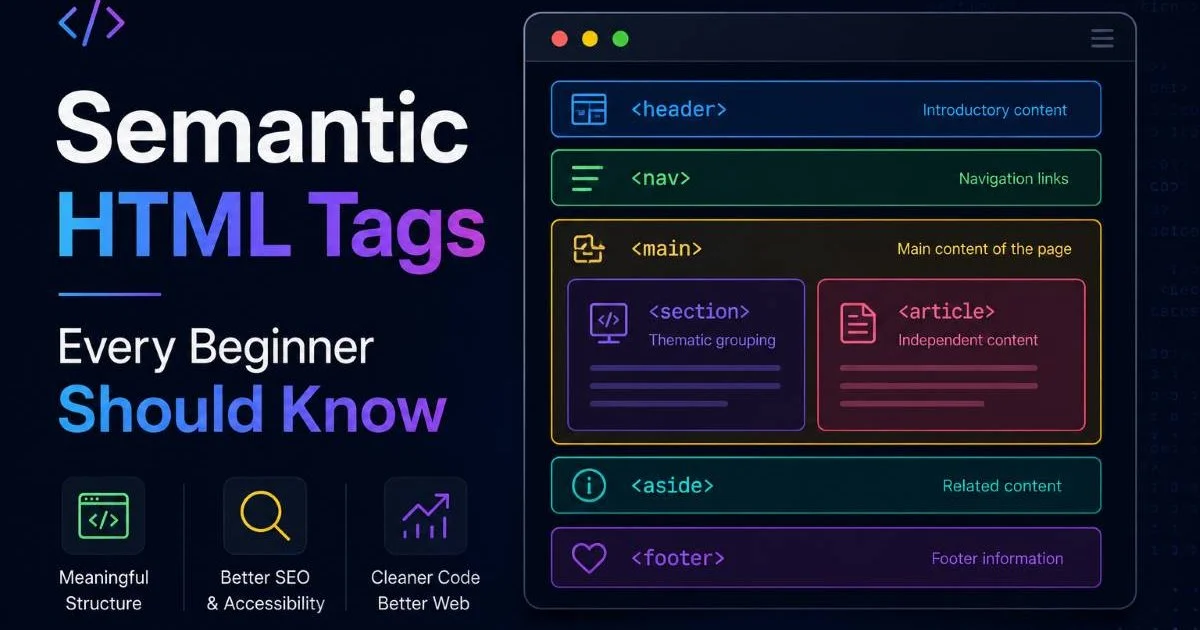
Semantic HTML tags such as <article>, <aside>, <header>, <footer>, and <main> provide machine-readable meaning that plain text cannot replicate. These elements tell assistive technologies what role each section plays, allowing users to jump directly to the content they need. Our overview of semantic HTML tags every beginner should know breaks this down with practical examples.
"Semantic HTML is not optional decoration; it is the structural backbone that makes the web usable for everyone."
Plain text, by its nature, carries no semantic information. A heading is just a line of capitalized words. A list is just lines starting with hyphens. There is no programmatic way for software to distinguish a title from a paragraph or a navigation item from body copy. This is the core reason why converting plain text to HTML is not just a cosmetic exercise. It's a functional upgrade that expands your audience.
Search Engine Considerations
Search engines parse HTML to understand page topics, content hierarchy, and relevance signals. Google's crawlers identify <h1> through <h6> tags to map heading structure. They use <title> and <meta> tags to populate search result snippets. Structured data in JSON-LD (embedded in HTML) powers rich results like FAQ dropdowns and recipe cards. None of these signals exist in a plain text file.
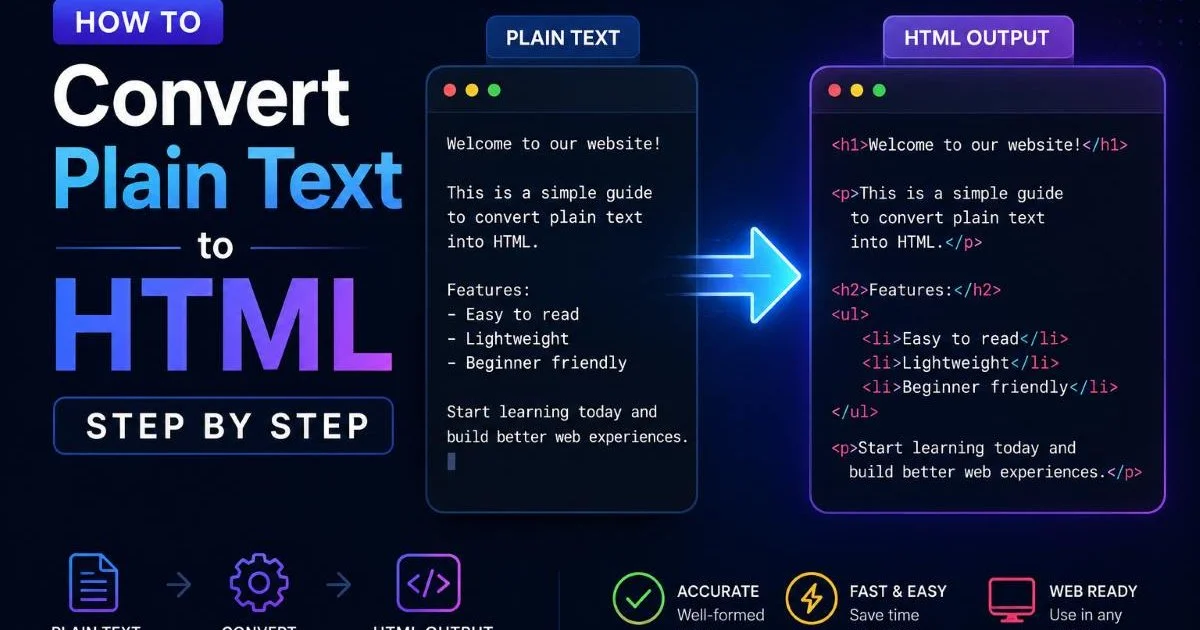
Even internal linking, a major ranking factor, depends on the <a> tag. Without hyperlinks, plain text content is an island. HTML structure allows you to build topic clusters, distribute link equity, and guide crawlers through your site's architecture. If you're learning to convert content manually, the step-by-step conversion guide walks through the process of adding headings, lists, and links to raw text.
| HTML Element | SEO Function | Plain Text Equivalent |
|---|---|---|
<title> | Sets page title in search results | None |
<meta description> | Provides snippet text for SERPs | None |
<h1> to <h6> | Defines content hierarchy for crawlers | Capitalized lines (ambiguous) |
<a href> | Creates hyperlinks and passes link equity | Raw URL strings (not clickable) |
<img alt> | Describes images for indexing | None |
<schema> (JSON-LD) | Enables rich results in search | None |
Plain Text vs HTML: When to Use Each
Best Cases for Plain Text
Plain text excels in environments where simplicity, portability, and universal compatibility matter most. System logs, configuration files, commit messages, and changelogs are all better served as plain text. These files need to be read by both humans and scripts across different operating systems without any rendering dependencies. Adding markup would introduce unnecessary complexity and potential parsing issues.
Documentation in developer-facing tools often starts as plain text or Markdown (which is a lightweight abstraction over plain text). READMEs, inline code comments, and API notes benefit from staying format-agnostic. When your audience opens files in terminals, text editors, or CI pipelines rather than browsers, plain text is the correct choice. Portability outweighs presentation in these scenarios.
Use plain text for any content that needs to work across terminals, scripts, and version control without rendering dependencies.
Best Cases for HTML
HTML is the right choice whenever your content will be consumed through a browser, email client, or any rendering engine that supports markup. Web pages, blog posts, landing pages, product descriptions, newsletters, and help center articles all benefit from HTML structure. The format gives you control over layout, navigation, linking, and accessibility in ways that plain text simply cannot match.
For content creators publishing to the web, skipping HTML is not a viable option. Even content management systems that accept plain text or Markdown inputs convert them to HTML before serving pages. The question is not whether your content will become HTML, but whether you control the conversion or leave it to automated tools that may produce suboptimal output. Understanding this pipeline puts you in a stronger position.
The distinction becomes especially clear when you consider interactive content. Forms, navigation menus, embedded media, and dynamic elements all require HTML at minimum, usually combined with CSS and JavaScript. Plain text has no mechanism for any of these features. If your content needs to do anything beyond being read sequentially, HTML is the only practical foundation.
Frequently Asked Questions
?How do I convert a plain text file to basic HTML structure?
?Does plain text email really outperform HTML email for clicks?
?How long does converting existing content from plain text to HTML take?
?Is skipping semantic HTML tags and using only <div> tags a real SEO problem?
Final Thoughts
Plain Text vs HTML is not a battle with a single winner. Each format serves distinct purposes, and choosing between them depends on your audience, platform, and goals. Plain text wins on portability and simplicity. HTML wins on structure, accessibility, and visual control.
For anything published on the web, HTML formatting is the standard for good reason. When you need to convert between these two formats, the right approach and the right tools make the transition straightforward and reliable.
Disclaimer: Portions of this content may have been generated using AI tools to enhance clarity and brevity. While reviewed by a human, independent verification is encouraged.