Finding the best text to markup tools for quick conversion can save you hours of manual coding every week. Whether you're a web developer handling client content or a content creator publishing blog posts, the process of transforming raw text into properly structured HTML is a recurring task that benefits enormously from the right tooling. Poorly formatted content hurts readability, accessibility, and SEO rankings.
The good news is that a growing ecosystem of conversion tools can handle this work in seconds. This guide walks you through a practical, step-by-step approach to selecting and using these tools effectively. You'll learn what features matter, how to evaluate your options, and how to integrate them into your workflow.
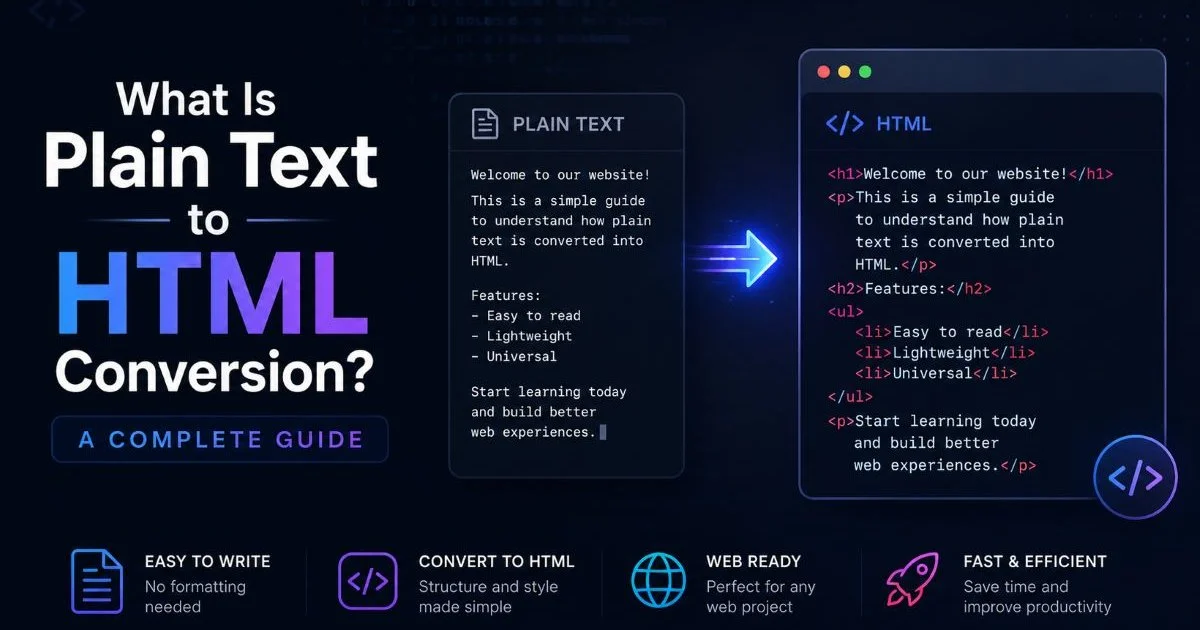
If you want a foundational understanding of the process itself, read this complete guide to plain text to HTML conversion before continuing. By the end of this article, you'll have a clear system for choosing tools that match your specific needs.
Key Takeaways
- The best text to markup tools prioritize semantic HTML output over visual formatting alone.
- Batch processing capability separates professional-grade tools from basic online converters.
- Always validate converted HTML structure before publishing to avoid accessibility issues.
- Markdown-based tools offer the fastest plain text to HTML workflow for most users.
- Integrating conversion tools into your CMS pipeline eliminates repetitive manual formatting work.

Step 1: Identify Your Conversion Needs
Content Type Assessment
Before you pick any tool, take stock of what kind of content you're actually converting. Blog posts with simple headings and paragraphs require a very different toolset than technical documentation with code blocks, tables, and nested lists. Product descriptions for e-commerce sites have their own formatting patterns, including structured data and specification tables. Understanding your content type is the first filter that narrows your options dramatically.
Consider the difference between plain text and HTML when assessing your needs. Plain text carries zero formatting information, so your conversion tool needs to infer or apply structure based on patterns like line breaks, indentation, or Markdown syntax. If your source text uses consistent conventions (double line breaks for paragraphs, asterisks for emphasis), simpler tools will work fine. Irregular or inconsistent source text demands more intelligent parsing.
Volume and Frequency
The volume of content you process weekly directly affects which category of tool makes sense. Someone converting a single article per week can get by with a browser-based converter. A team processing dozens of documents daily needs a tool with API access, batch capabilities, and template support. Frequency also determines whether the initial setup time of a more complex tool pays off in the long run.
Think about scalability. A freelance writer might start with ten articles a month, but growth could triple that number within a year. Choosing a tool that handles your current volume while scaling to your projected needs prevents painful migrations later. Factor in whether multiple team members need access, which pushes you toward cloud-based solutions with collaboration features rather than single-user desktop applications.
Create a simple spreadsheet logging your content types, average word counts, and weekly volumes before evaluating any tool. This data makes comparison shopping far more objective.
Step 2: Evaluate the Best Text to Markup Tools for Quick Conversion
Online Converter Tools
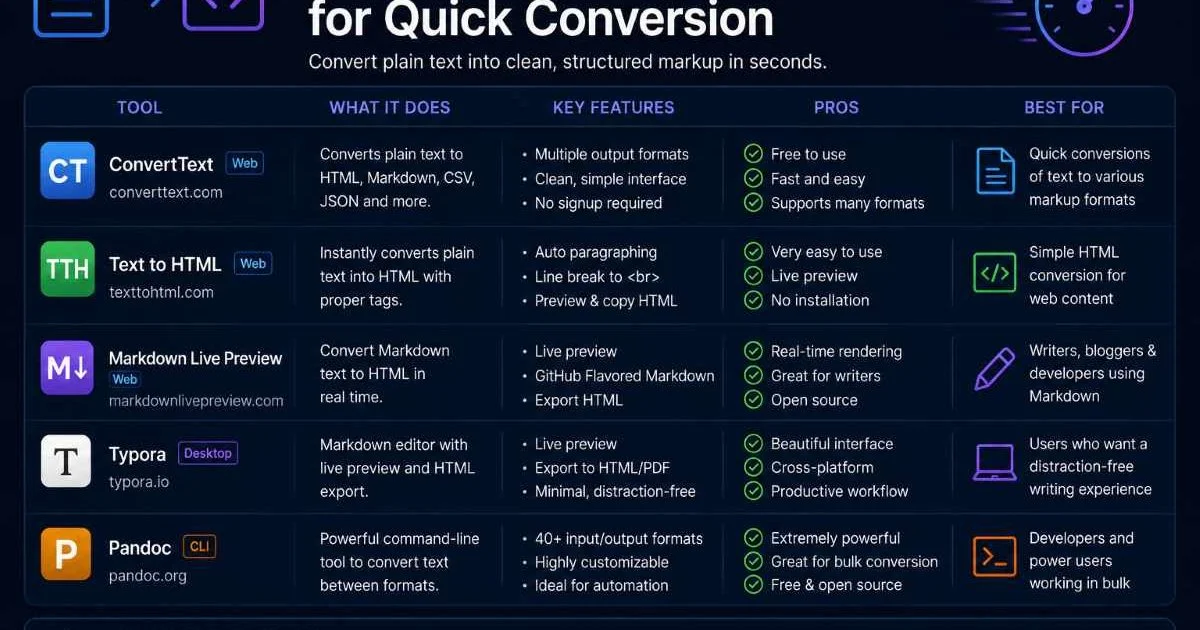
Online converters remain the most accessible category for quick text to markup conversion. Tools like TXT to HTML let you paste plain text and receive formatted HTML instantly. These web-based options require no installation, work across operating systems, and typically offer real-time preview. For content creators who need fast results without technical setup, they're the obvious starting point.
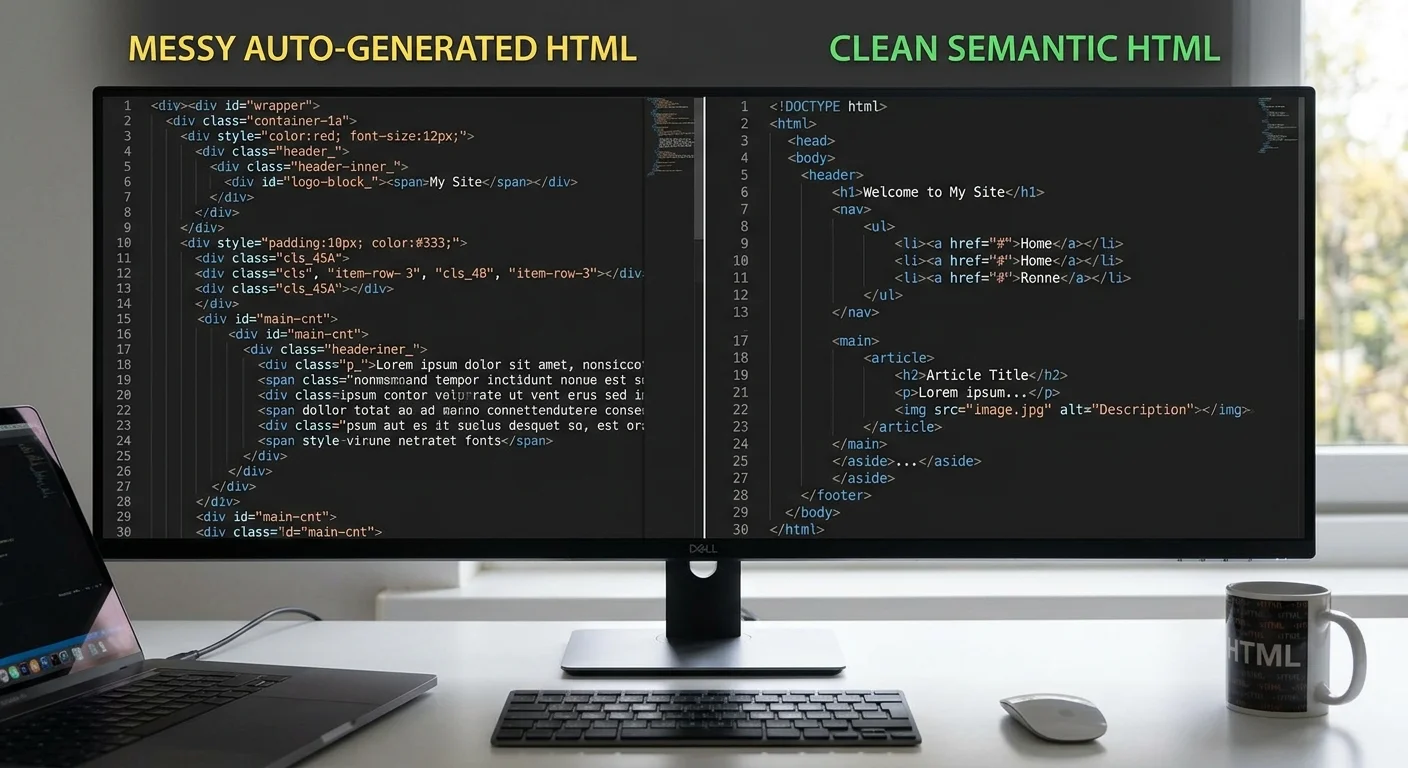
The trade-off with online tools is customization. Most offer limited control over the output's HTML structure, class names, or tag preferences. Some produce clean semantic HTML with proper heading hierarchy, while others wrap everything in <div> tags with inline styles. Test each tool with a representative sample of your actual content, not the tool's demo text. Real-world testing reveals issues like mishandled special characters, lost whitespace, or inconsistent list formatting that demos never show.
Desktop and CLI Tools
For developers who need more control, command-line tools like Pandoc and desktop editors with export capabilities offer superior flexibility. Pandoc converts between dozens of document formats and produces clean HTML with configurable templates. You can specify custom CSS classes, control heading levels, and process entire directories of files with a single command. It handles Markdown, reStructuredText, LaTeX, and even Word documents as input sources.
AI-powered editors are also reshaping this space. As explored in this analysis of AI HTML code editors changing frontend development, machine learning models can now interpret unstructured text and apply appropriate HTML formatting with impressive accuracy. These tools learn from your corrections over time, improving their output quality. The best text to markup tools in this category combine speed with intelligence, reducing your review and editing time after conversion.
| Tool | Type | Input Formats | Semantic HTML | Batch Support | Price |
|---|---|---|---|---|---|
| TXT to HTML | Web App | Plain text, Markdown | ✓ | ✗ | Free |
| Pandoc | CLI | 20+ formats | ✓ | ✓ | Free (open-source) |
| Typora | Desktop | Markdown | ✓ | ✗ | $14.99 |
| Marked 2 | Desktop (Mac) | Markdown | ✓ | ✓ | $13.99 |
| CKEditor | Web Widget | Rich text, paste | Partial | ✗ | Freemium |
Open-source tools like Pandoc require command-line comfort. If your team lacks terminal experience, invest an hour in a basic tutorial before committing to CLI-based workflows.
Step 3: Set Up Your Conversion Workflow
Integration with Existing Systems
Choosing a tool is only half the job. Integrating it into your existing publishing pipeline is where the real productivity gains happen. If you use WordPress, look for tools that output HTML compatible with its block editor or classic editor without extra cleanup. For static site generators like Hugo or Jekyll, Markdown-based tools with front matter support are the natural fit. The goal is reducing the number of steps between raw text and published content.
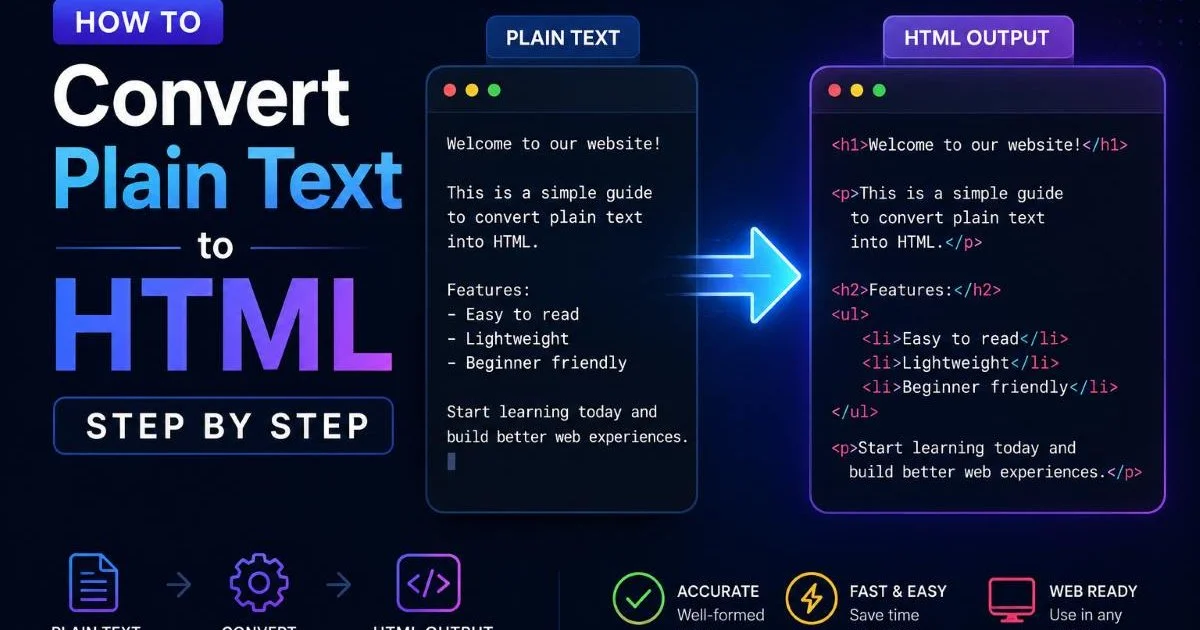
Consider building a simple automation script. For example, a bash script that watches a folder for new .txt or .md files, runs them through Pandoc with your custom template, and outputs ready-to-publish HTML to a deployment directory. This kind of automation, even at a basic level, eliminates the friction of manual conversion. If you're learning how to convert plain text to HTML step by step, building this pipeline is an excellent practical exercise.
Quality Assurance Checks
Every automated conversion should pass through a quality gate before publication. Validate your HTML output using the W3C Markup Validation Service. Check that heading hierarchy flows logically (h1, then h2, then h3, never skipping levels). Verify that lists are properly nested and that paragraph breaks appear where intended. These checks take seconds but prevent embarrassing formatting errors on live pages.
Build a simple checklist for your QA process. Confirm all images have alt attributes. Verify links are not broken. Check that special characters (curly quotes, em dashes, non-breaking spaces) converted correctly from the source text. Some tools introduce unwanted entities or convert straight quotes to curly ones inconsistently. Understanding HTML structure basics for clean web formatting helps you spot these issues quickly during review.
Never skip HTML validation for content going to production. A single unclosed tag can break page layouts, navigation menus, or interactive components downstream.
Step 4: Optimize and Refine Your Output
Semantic Markup Best Practices
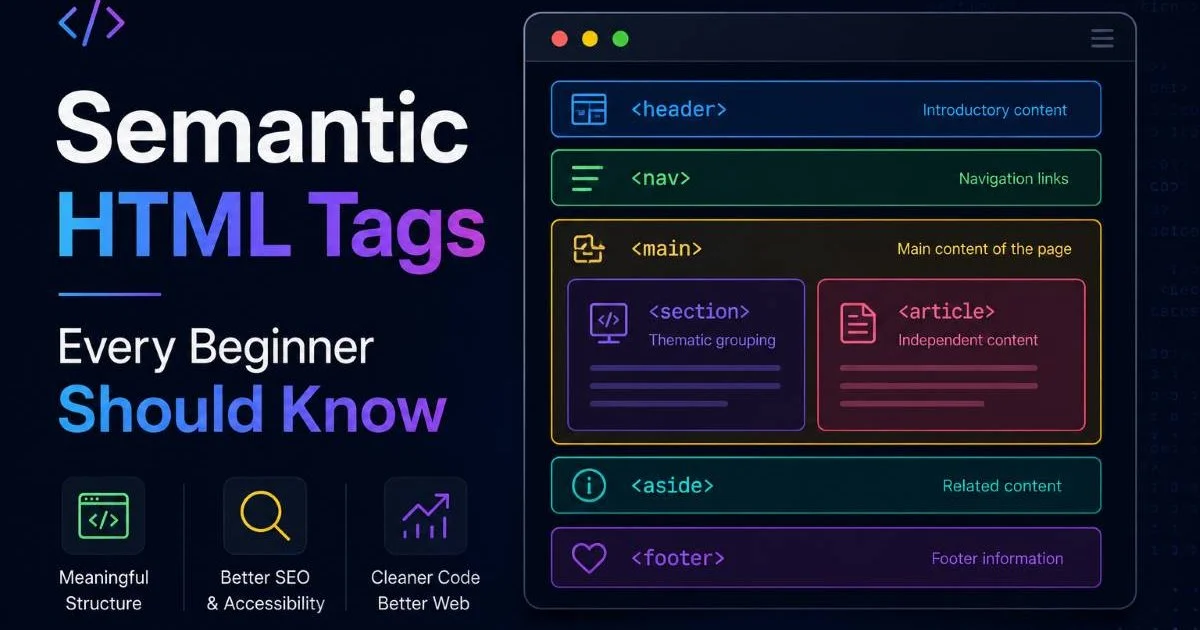
The best text to markup tools produce semantic HTML, not just visually formatted code. Semantic HTML uses tags like <article>, <section>, <nav>, and <aside> to communicate meaning to browsers, screen readers, and search engines. A tool that wraps everything in generic <div> and <span> tags creates technical debt you'll eventually need to address. Prioritize tools that understand document structure, not just visual appearance.
Pay attention to how your tool handles specific content patterns. A blockquote should use <blockquote>, not an indented paragraph. Code snippets belong in <pre><code> blocks. Definition lists, abbreviations, and figure captions all have dedicated HTML elements that most basic converters ignore. If your content regularly includes these patterns, you need a tool sophisticated enough to recognize and apply them correctly.
"Clean semantic HTML isn't a luxury; it's the foundation that makes accessibility, SEO, and long-term maintainability possible."
Performance and Accessibility
Optimized HTML formatting contributes directly to page performance. Bloated output with unnecessary wrapper elements, inline styles, and redundant class names increases file size and parsing time. Run your converted HTML through a minifier to strip comments and whitespace for production use. Compare the file sizes of output from different tools; the differences can be surprising, especially at scale across hundreds of pages.
Accessibility is non-negotiable for modern web content. Your converted markup should support screen readers with proper heading hierarchy, meaningful link text, and appropriate ARIA attributes where needed. The best architecture for web projects treats accessibility as a structural requirement, not an afterthought. Test your output with tools like axe or WAVE to catch issues that visual review alone misses. The best text to markup tools for quick conversion will handle most of these requirements automatically.
Set up a pre-publish script that runs both W3C validation and an accessibility checker on your converted HTML. This two-minute step catches 90% of common issues before they reach your audience.
Finally, revisit your tool selection quarterly. The text to markup conversion space evolves rapidly, with new features and entirely new tools appearing regularly. What worked six months ago might be outpaced by a tool that better handles your current content patterns or integrates with new platforms in your stack. Keep your workflow lean, your output clean, and your standards high.
Frequently Asked Questions
?How do I integrate a text to markup tool into my CMS pipeline?
?Is a browser-based converter enough or do I need a CLI tool?
?How much time can the right markup conversion tool realistically save?
?What's the biggest mistake people make when converting plain text to HTML?
Final Thoughts
Selecting the best text to markup tools for quick conversion comes down to matching your content type, volume, and quality standards with the right software. Start by understanding your actual needs, test tools with real content samples, and build an automated workflow that includes quality checks.
Semantic HTML should be the baseline standard, not a stretch goal. With the right setup, you'll spend less time formatting and more time creating content that actually matters to your audience.
Disclaimer: Portions of this content may have been generated using AI tools to enhance clarity and brevity. While reviewed by a human, independent verification is encouraged.